

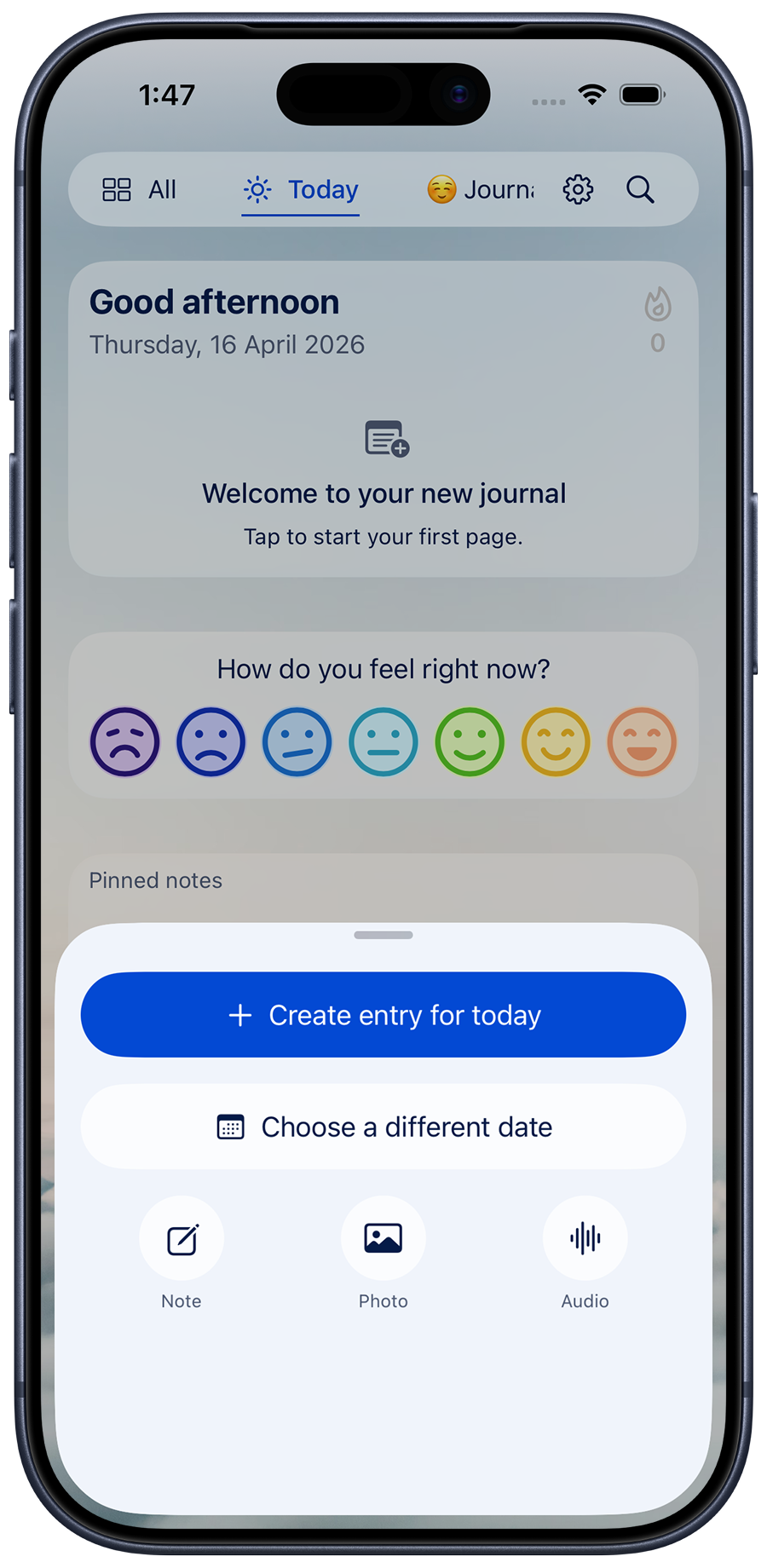
Tap once to start today's page, add a photo, or jot an undated note. Put Diarly on your Home Screen or Lock Screen with widgets, or dictate a line from your Apple Watch.
Rather talk than type? Dictate an entry, or record a voice note with Premium.
The best moment to write is rarely at a desk. Diarly is a private diary and journal app that lives on your iPhone, ready for a quick line on the train, a photo at dinner, or a longer entry before bed.
 4.7 from 23,000+ ratings across iPhone, iPad and Mac worldwide · Free to start · No account needed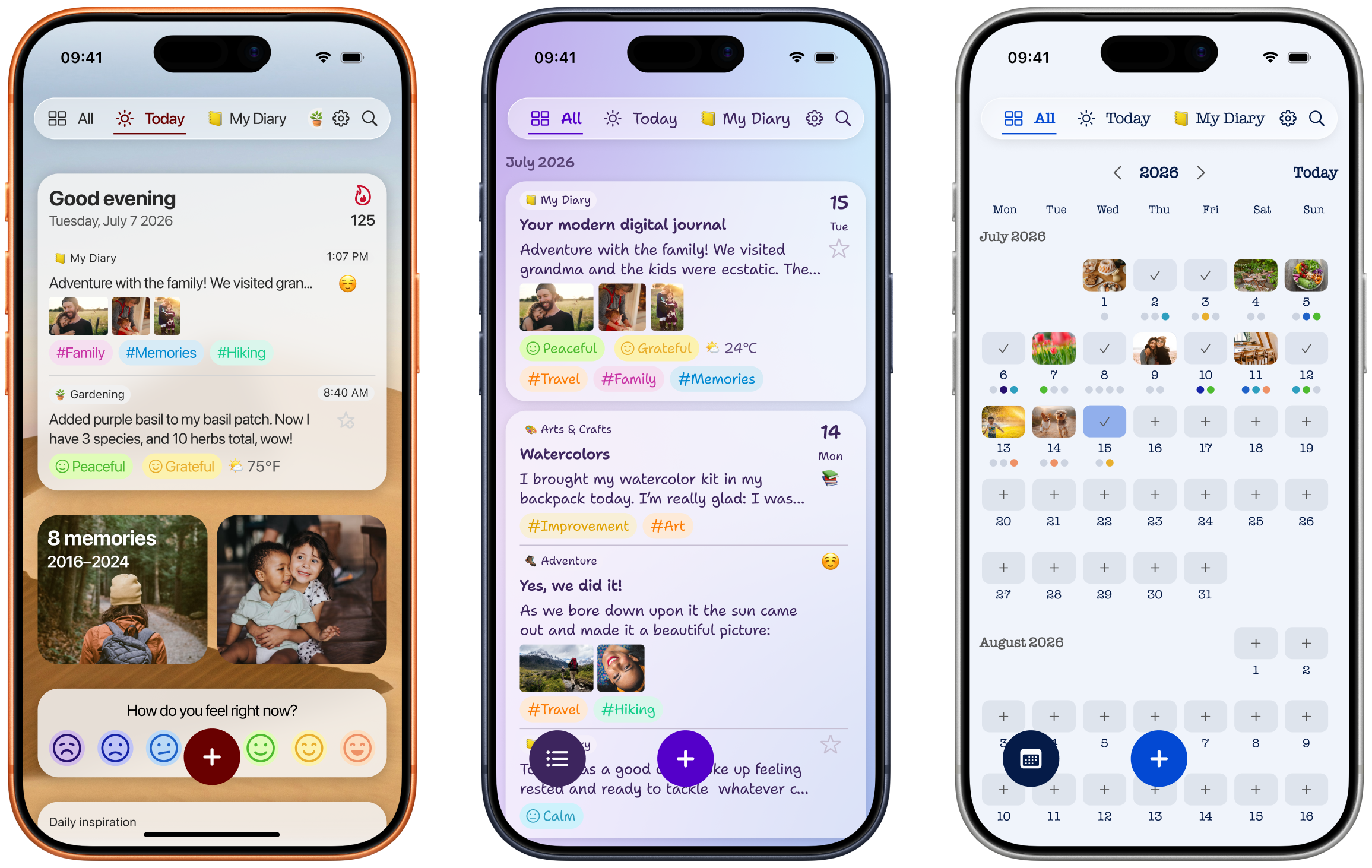
Tap once to start today's page, add a photo, or jot an undated note. Put Diarly on your Home Screen or Lock Screen with widgets, or dictate a line from your Apple Watch.
Rather talk than type? Dictate an entry, or record a voice note with Premium.
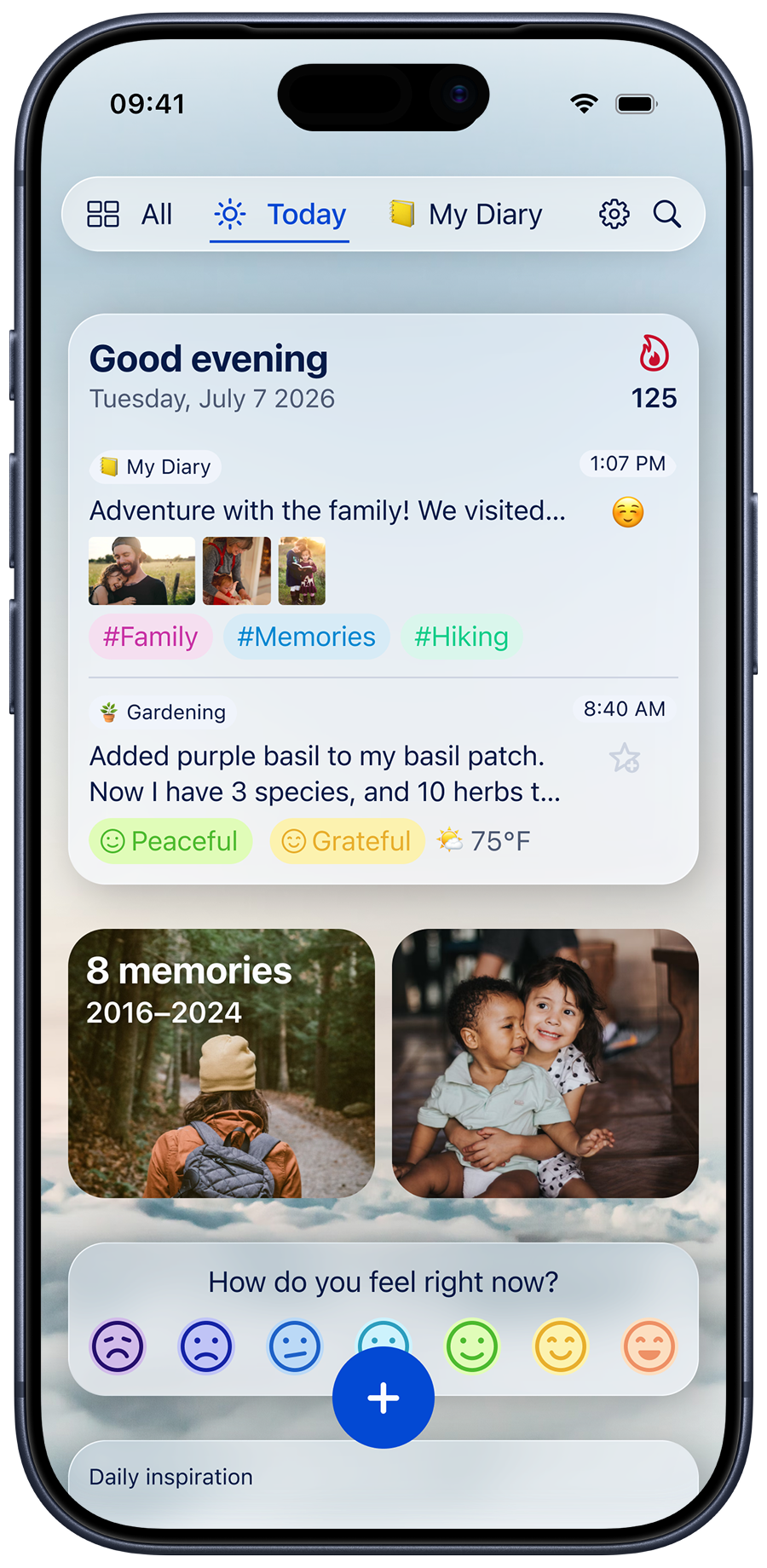
A template can add today's photos, the weather, where you were, and your steps, sleep, and activity from Apple Health. You write the part only you know.
Stuck for a start? Apple's Journaling Suggestions offer moments from your day, on iPhone only.
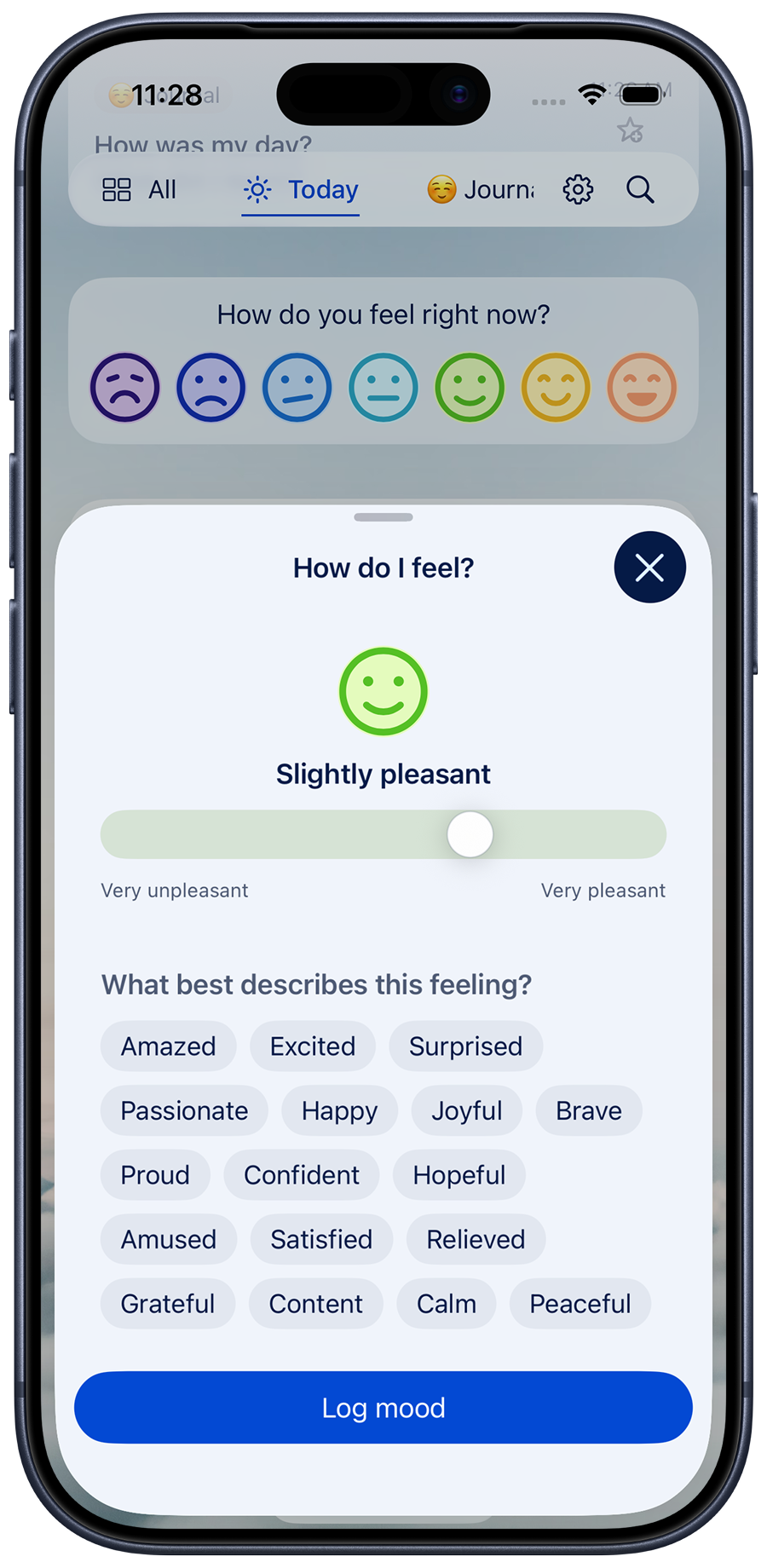
Some nights, that can be the whole entry. Add a word or two if you like: grateful, calm, relieved.
Over time, Insights show how your weeks have felt. Your moods sync to State of Mind in Apple Health.
Set a reminder for the time you are usually free. A streak counts the days you have kept going, and On This Day brings back what you wrote in earlier years.
Lock Diarly with a password and Face ID or Touch ID at no cost. Your diary is stored on your iPhone, works offline, and needs no account. Premium adds encryption for your entry text.
With Premium, the same diary syncs through your own iCloud to your iPad and Mac, where there is room for longer writing. One subscription covers every device.
“I have almost made it an entire year journaling each day because of the convenience of this app. It sends daily reminders every evening and I love that I can export it and will be printing me entire 365 day journal!”“I am starting the second year with my journal and I must say I have tried plenty over there but not a single one is providing me options as diarly. Customization, mood, steps, weather …. you can insert where you wish. And all data is with you and not on some remote server.”“I’ve been looking for a good journal app for such a long time and Diarly is the first one that’s convinced me to move off my Notes app.”Yes. Keep one diary with unlimited entries and photos, templates, mood tracking, reminders, and a Face ID lock. Premium adds iCloud sync, entry-text encryption, multiple journals, voice notes, and more. Compare Free and Premium.
Yes, for free. Set a password in Diarly, then unlock with Face ID or Touch ID. Premium adds optional encryption for your entry text. How to set a password.
Diarly offers templates, Markdown, tags, undated notes, mood Insights, export to Markdown files, and an Apple Watch app. You can import your Apple Journal entries and keep using Apple's Journaling Suggestions inside Diarly. Compare Diarly and Apple Journal.
Yes. Dictate or scribble a quick note from your wrist, and it appears in your diary the next time you open Diarly on your iPhone. Voice recordings from the Watch need Premium.
Yes, with Premium. Your diary syncs through your own iCloud account, and one subscription covers iPhone, iPad, Mac and Apple Watch. How sync works.
Yes. Open Settings, choose Import, and select the importer for your files. Supported sources include Apple Journal, Day One, Journey, and Markdown. Find the full import guide here.
Open Diarly on your iPhone and write one line about today. That's a beginning.
Free forever · No ads · No account needed