

Daily Reflection
How was my day?
What do I want to remember?
Filled in for you
WeatherLocationTime of day
Capture your day with a few words, a photo, or a mood check-in. Templates and reminders help you keep going; On This Day brings your memories back.
Free forever on one device. Sync with Premium.
★★★★★ 4.7 from 23,000+ ratings across iPhone, iPad and Mac worldwideNo adsNo account needed
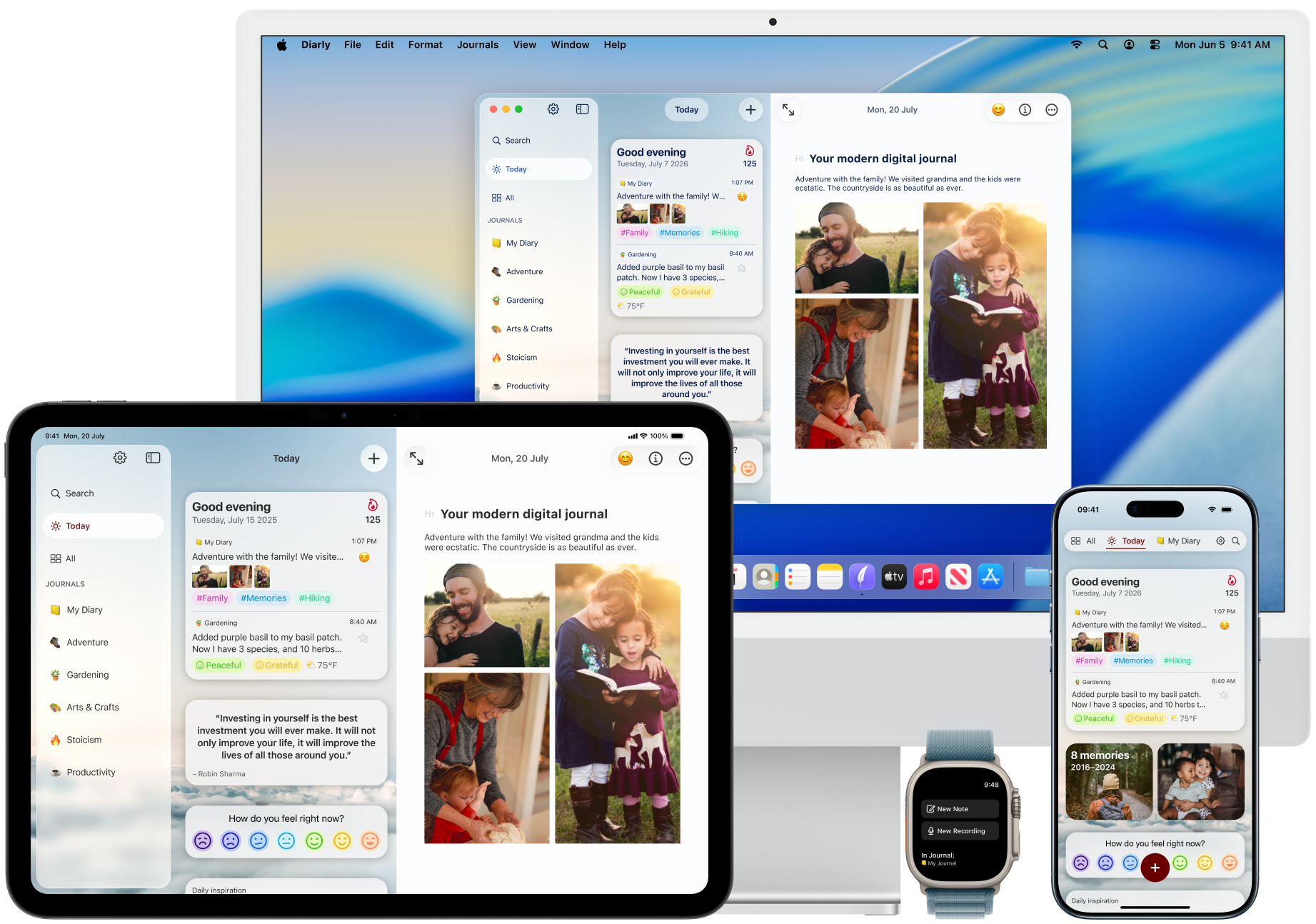
“Been using this app every day for the past four years. It’s the most consistent I’ve been with journaling ever, thanks to its simple and easy to use design. Particularly love the “on this day” feature!”“I have been using this app since 2020 and if I could give more than 5 stars I would surely do that, because this is by far THE BEST diary!!!”“As a personal journal-keeper for some 60 years - the team at Diarly have produced the best and most intuitive daily diary system by far.”Most days disappear faster than you'd expect. Writing down a few lines gives you a way to hold onto the moments, thoughts and little details you'd otherwise forget.
The ordinary things become the ones you treasure. What you did, where you went, who you were with, and how it all felt.
Writing things down makes patterns easier to see: what lifts you up, what drains you, and what keeps coming back.
Read an entry from a year ago and suddenly the changes you barely noticed become obvious.
And it only takes a few minutes a day.
Build your own template in a minute: add your questions and choose the details you'd like filled in for you, from today's weather and photos to your steps, workouts, calendar, and mood. Here are a few examples you can create.
How was my day?
What do I want to remember?
What am I grateful for?
One good moment from today
How did today’s session go?
How does my body feel?
What matters most today?
What is my next step?
Slide to rate the day. That alone can be tonight's entry. Add a word or two if you feel like it: grateful, calm, surprised.
Over time you'll see which weeks lifted you and what a good month looks like for you. Your moods sync to State of Mind in Apple Health.
Make space for your day with photos, checklists, and quotes. Record a voice note with Premium when you would rather talk than type.
Prefer shortcuts? Use Markdown to format, / to insert details, and [[ to link one entry to another.
Not everything belongs to a day. Keep lists, drafts and ideas as undated notes beside your diary.
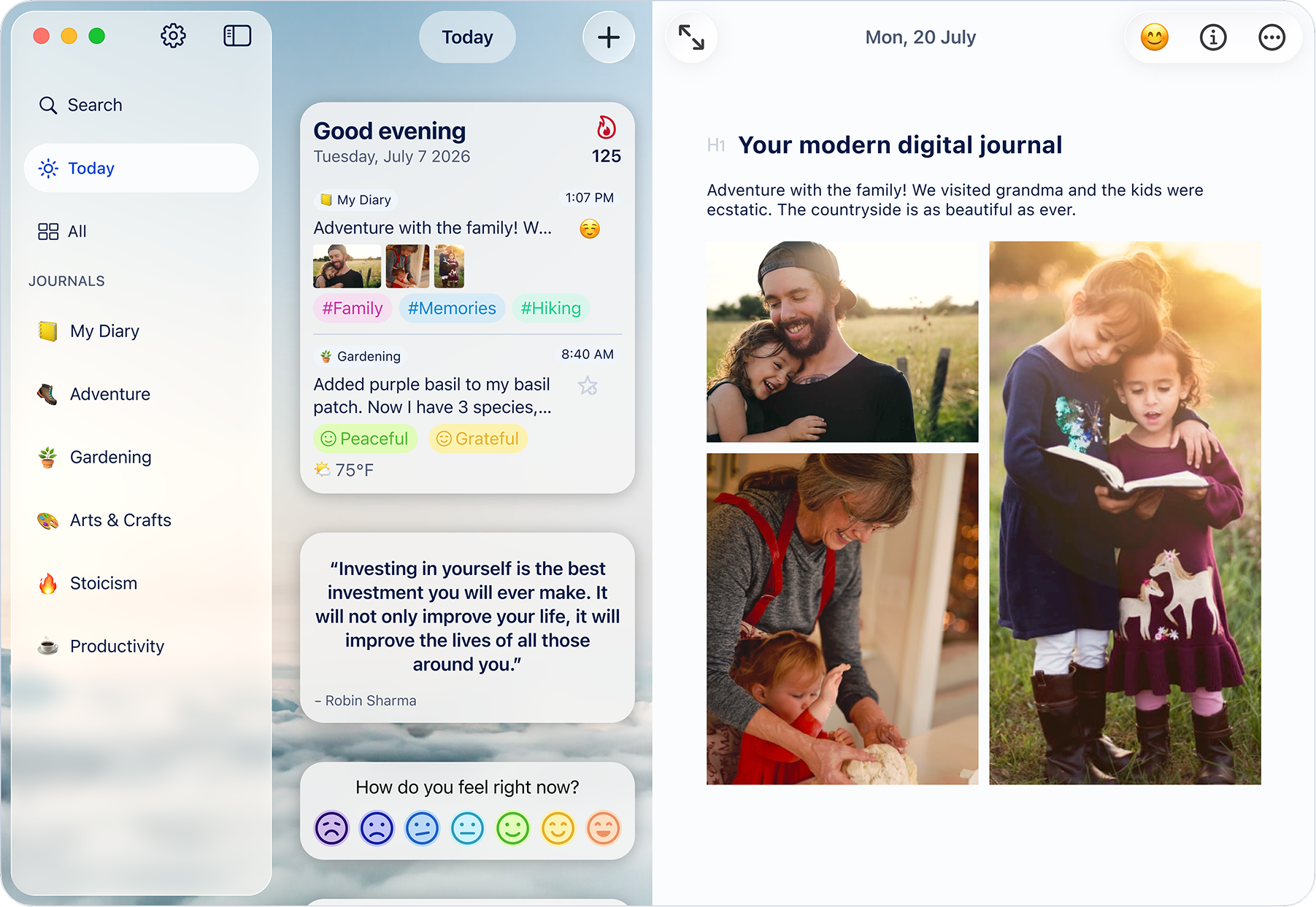
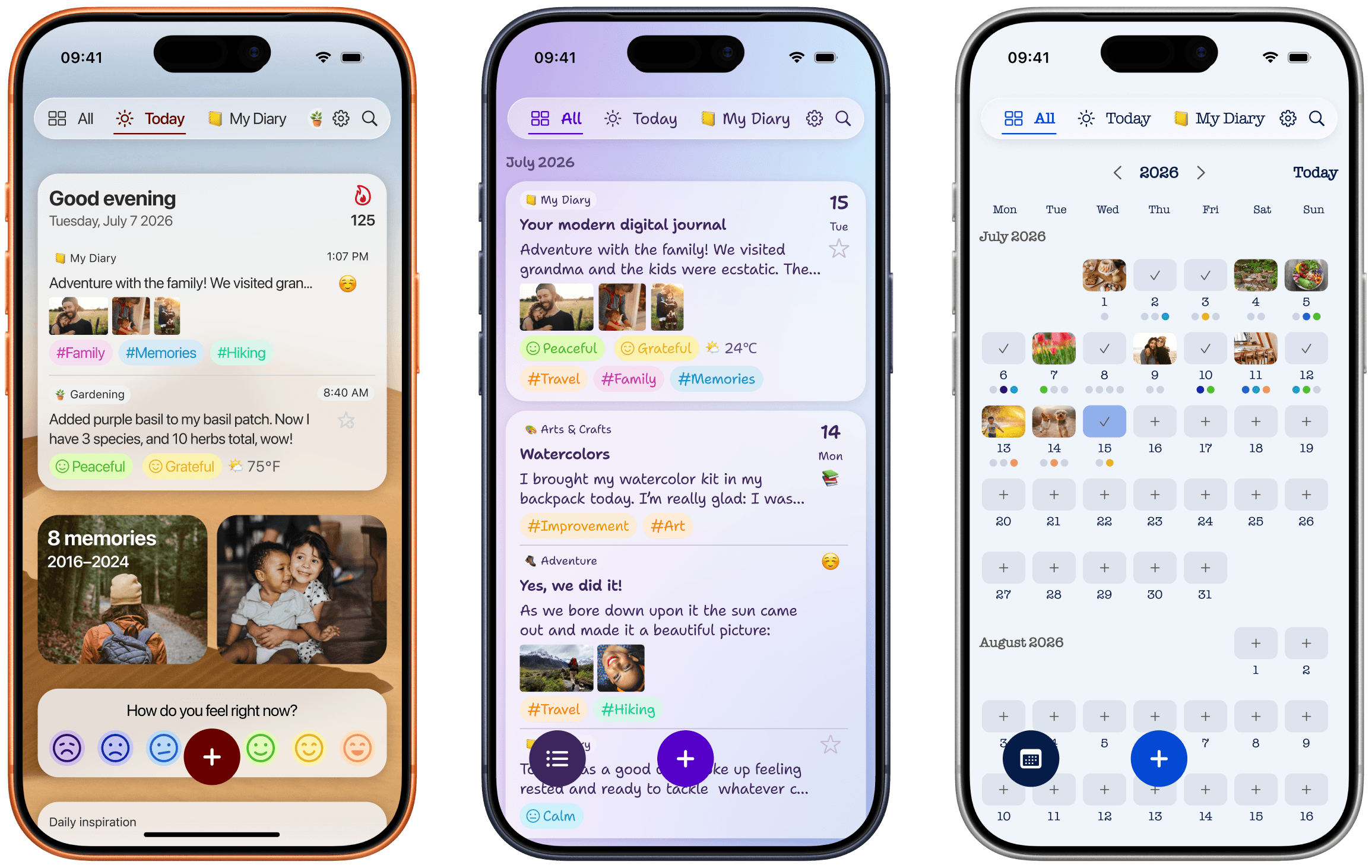
Scroll back through the years on the calendar, or see a whole summer of photos at once. Every day, Diarly shows you what you wrote on this day in previous years.
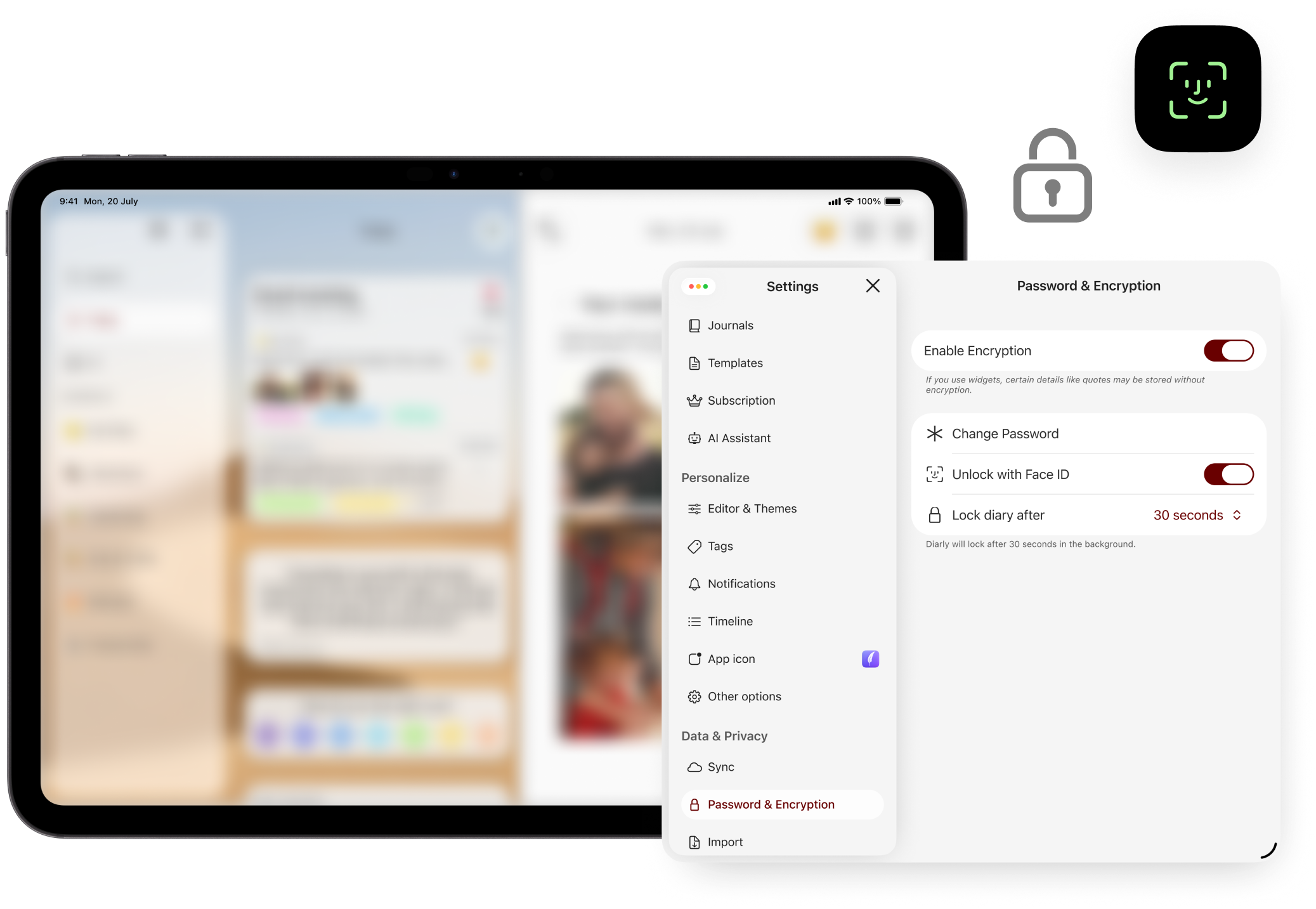
Your diary stays private on your device. A password lock, plus Face ID or Touch ID, is available for free. With Premium, it can sync through your personal iCloud account.
Premium includes iCloud sync through your own account and encryption for your journal text. It is encrypted with your password and cannot be unlocked without it. Images and other attachments are not encrypted by Diarly.
Coming from another app? Bring your years of entries and photos with you. Learn how to import your journal.
Premium unlocks sync, encryption, multiple journals, and more, so your diary syncs across your iPhone, iPad and Mac. Eligible new subscribers can try it free for 7 days.
Everything you need to start today and keep going.
Keep your diary in sync across your Apple devices.
Set one reminder for a time you're usually free, then answer the question waiting on today's page. One sentence counts. Start small and choose a time that fits your day.
iPhone, iPad, Mac, and Apple Watch. Diarly is made for Apple devices, with iCloud, Apple Health, and Face ID built in.
Yes. Unlimited entries and photos on one device are free forever, with no ads. Premium adds sync, encryption, multiple journals, and more, with a 7-day free trial for eligible new subscribers. See Premium features and pricing.
Your diary stays on your device. Premium sync keeps it in your own iCloud account. Password, Face ID, and Touch ID app lock are free. With Premium encryption enabled, your entry text is encrypted on your device and in iCloud.
Yes. Years of entries from Day One, Apple Journal or Journey come across with their photos and dates. Learn how to import your journals.
You keep every entry. Your writing stays yours when your subscription ends. Entry text remains encrypted if you enabled encryption.
Two sentences about today, and you've begun.
Free on the App Store.
 Free forever · No ads · No account needed
Your diary stays on your device,
with optional sync through your personal iCloud.
Premium offers encryption for entry text.
Diarly is built for the people who use it.
Join our community to share your ideas,
test early features,
and help define the future of the app.