Insights (previously Stats)
Insights show a visual summary of your journal. Use them to review writing activity, streaks, word count, moods, feelings, wellbeing, and tags you use often.
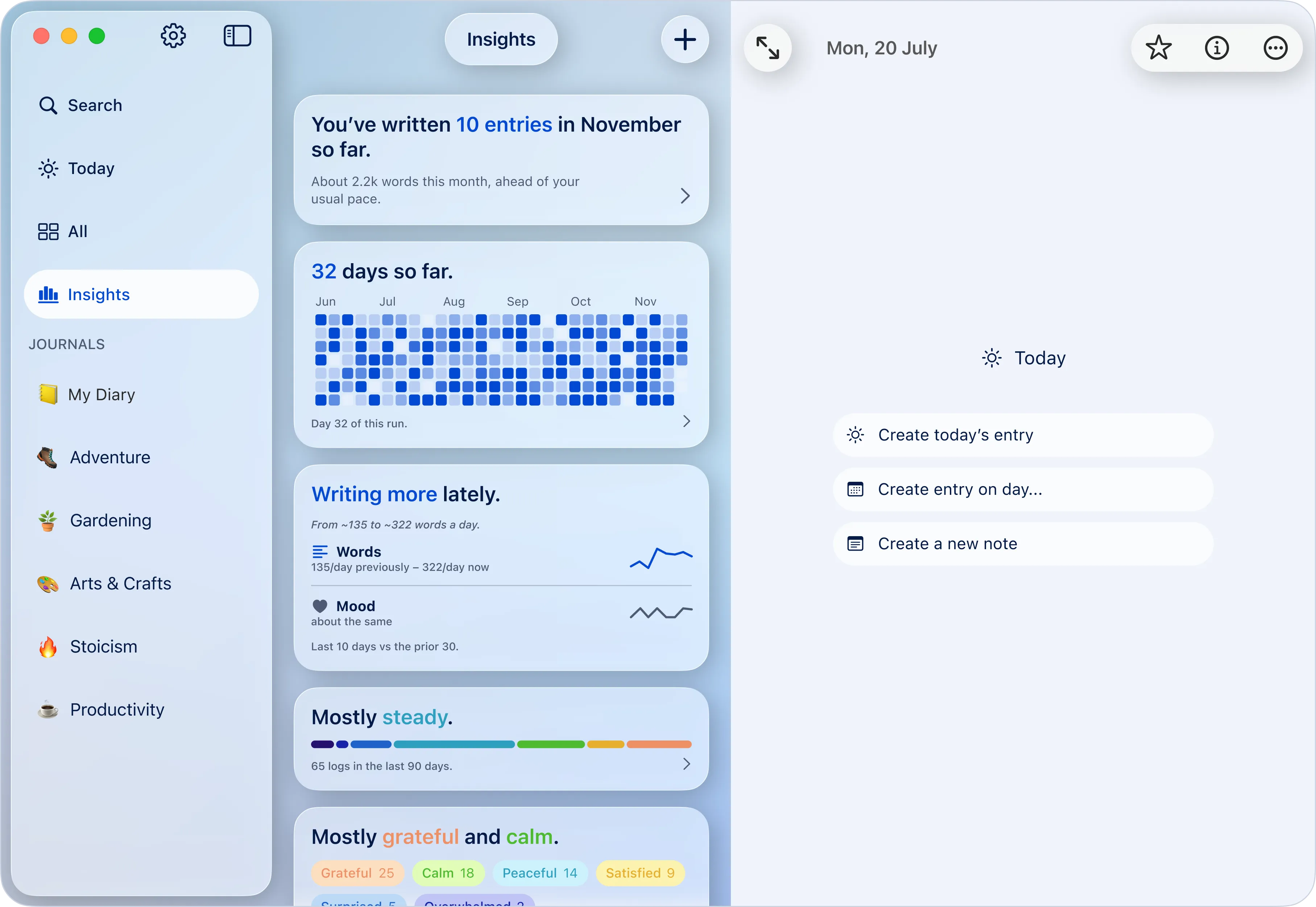
Some Insights cards may appear as previews while Diarly collects enough journal data. Keep writing, adding moods, and using tags to make these cards more useful.
Open Insights
You can open Insights in several ways:
- From Today, click or tap a Insights widget or the streak icon.
- On Mac and iPad, select Insights in the sidebar.
Understand Insights cards
Insights are shown as cards. Each card focuses on one part of your journal, such as writing activity, streaks, moods, feelings, or tags.
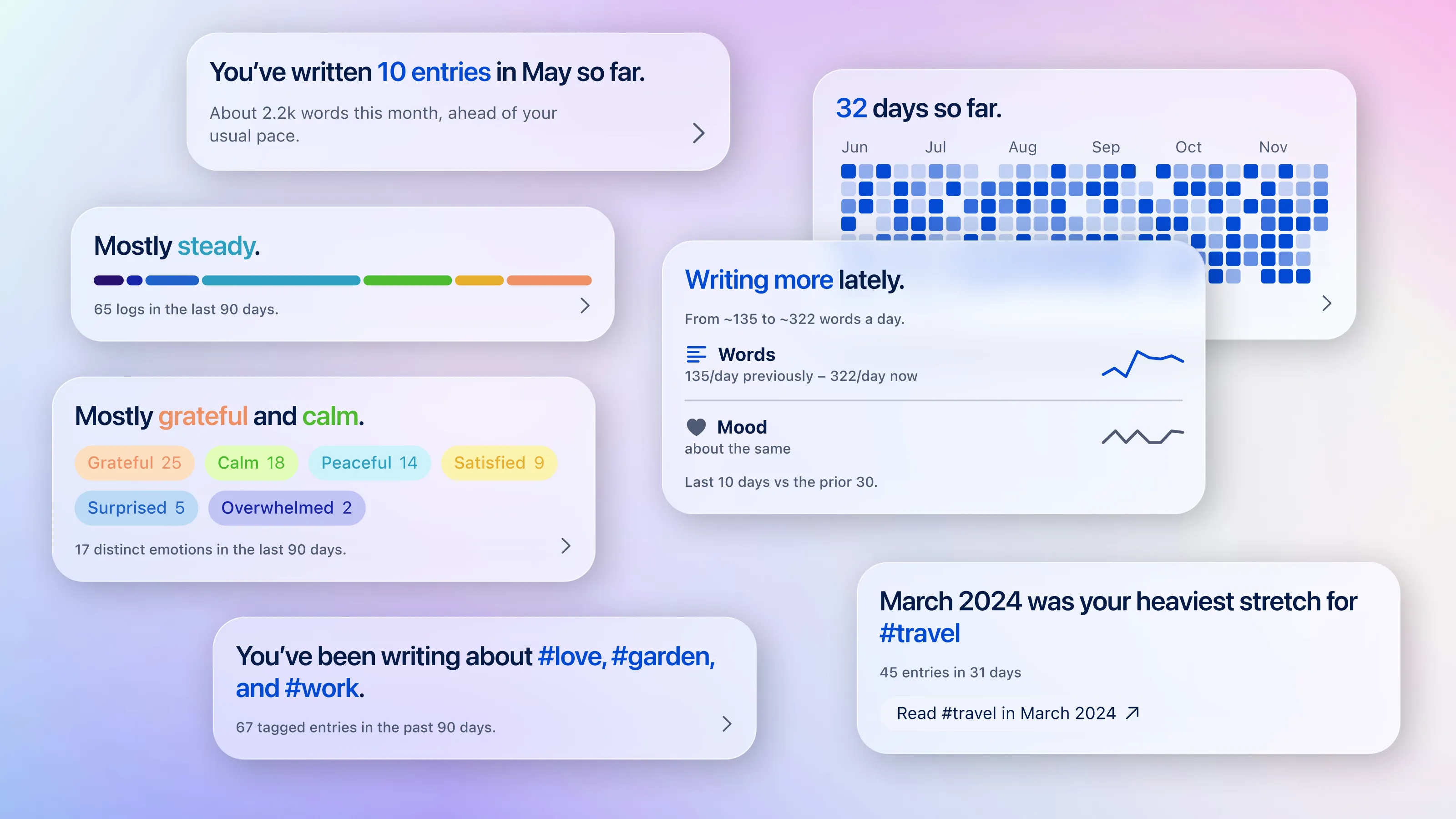
Some cards include filters, such as the current month, the last 90 days, all time, or a selected year. Use them to review different periods. Tap or click on the arrow on the bottom right to expand.
Writing overview
The writing overview shows how much you’ve written in the selected period, including entries, word count, average words per day, and, on some cards, the date of your first entry or a quick link to related entries.
Streaks
Streak cards show your current streak, longest streak, recent writing activity, and longer streaks over time. Some cards also let you open the entry where a streak began.
Missed a day? Fill in past entries using the calendar to keep your journal complete.
Writing trends
Writing trend cards compare recent writing with an earlier period, helping you see whether you’re writing more often, writing fewer words, or changing your routine.
Wellbeing
Wellbeing cards summarize how you’ve been feeling based on moods added to your entries. They can help you notice when your mood has been steady, higher, or lower.
Moods and feelings
Mood and feeling cards show which moods or feelings appear most often in your journal. Add moods regularly to make these cards more useful.
Tags and topics
Tag cards show the tags you use most often and topics that may be becoming recurring themes. Add tags directly in your entries, such as #work, #travel, or #gratitude.
Open related entries
Many Insights cards are interactive. Click or tap an arrow, button, day, tag, or highlighted value to open related entries or a time period.
You can use this to review entries from a selected month, open entries with a specific tag, or see where a streak began.