

Mood journal app for iPhone, iPad & Mac Your mood tracker journal.
Log the feeling and remember the day.

A mood chart tells you how a day felt. A journal remembers what happened in it. Diarly keeps both together: slide to log your mood, add a line or a photo, and look back at your life through the years.

Download Diarly on the App Store4.7 from 23,000+ ratings across iPhone, iPad and Mac worldwide · Free to start · No account needed

Mood check-in One slide, and a word or two.

Slide from very unpleasant to very pleasant, then pick the emotions that describe the moment: grateful, calm, overwhelmed. That can be the whole entry.

Log from the Today view, inside any entry, from a Lock Screen widget, or let a template ask you each day.
How mood tracking works

Mood Insights See how your weeks have felt.

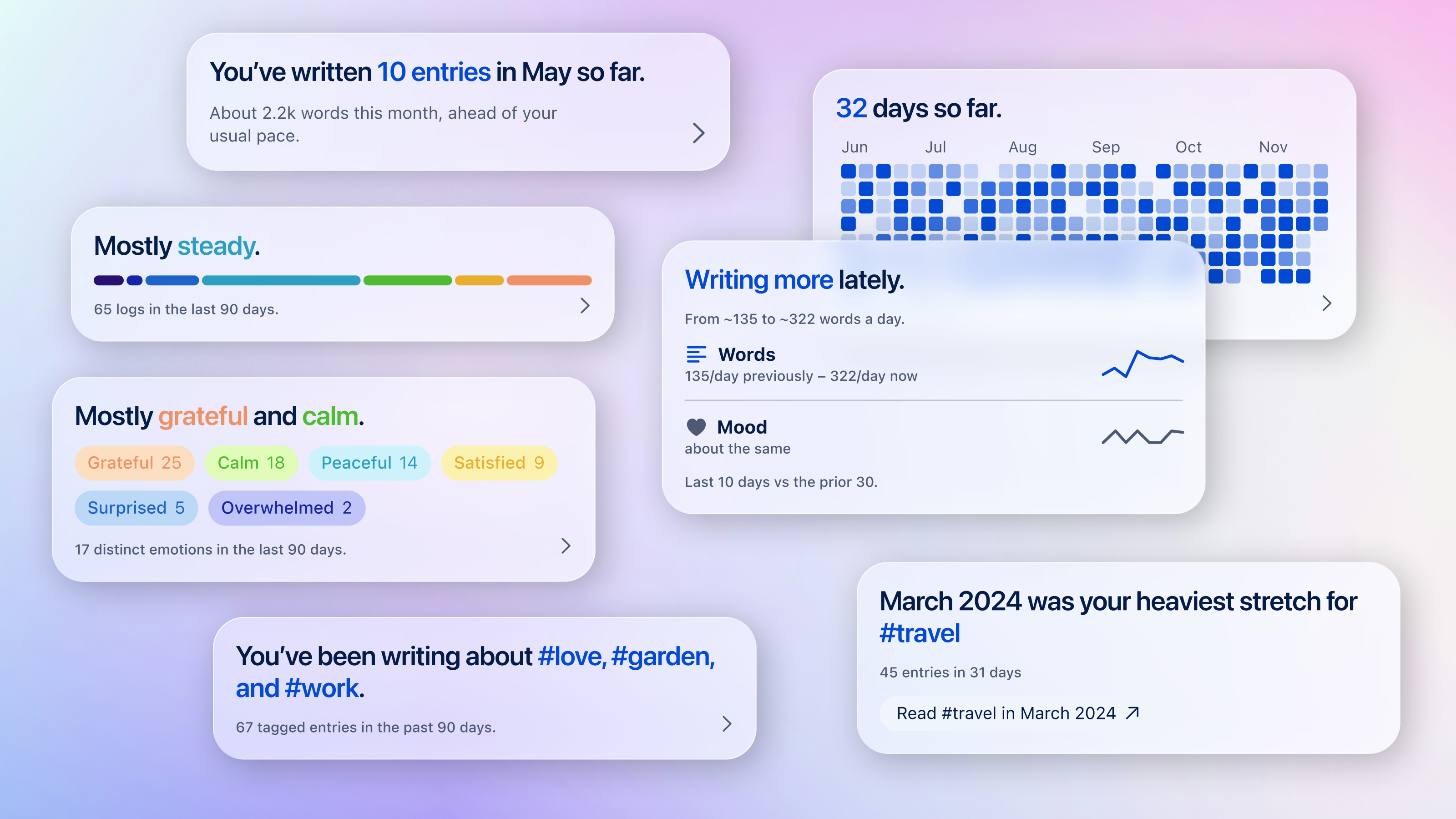
Insights shows which feelings you log the most, whether your mood has been steady, and how recent weeks compare with the ones before. The calendar shows each day's mood, and search finds every feeling logged.

Diarly Insights cards showing how steady your mood has been, the feelings you log most and recent changes in writing and mood

More than a chart The day behind the mood.

What happened every day

Each mood sits in an entry, next to what you wrote and the photos you took. Your life's context matters, whether it was a low day or a good one, Diarly saves it for you.

Explore diarly on iPhone

Sleep and activity

On iPhone, templates can automatically add sleep, steps, workouts and mindful minutes from Apple Health, including what your Apple Watch records. Insights then shows shifts in journaling, health, themes, and mood.

Apple Health in Diarly

Log to Apple Health

Each mood you log in Diarly is saved to State of Mind in Apple Health on iOS 18 or later, so it appears alongside the rest of your health data. You can also count the time you're journaling as Mindful Minutes.

Set up State of Mind sync

★★★★★
“I love that you can add metadata to the templates. The mood tracking aspect is my favorite part of my journal.”
kristinymay · Nov 17, 2024
★★★★★
“I love the app. Very straightforward and simple. Lots of gorgeous dark and light themes. I love the new mood entries and its stats.”
Hyowink · Oct 8, 2024
★★★★★
“This is THE perfect app for journaling. It’s very customizable with themes and fonts. … It has dots underneath the picture to show moods or number of entries.”
Dimensional Cat · Jul 17, 2026

Questions about mood tracking

Is the mood tracker free?

Yes. Mood logging, mood Insights and the State of Mind sync are part of the free plan, along with unlimited entries and photos in one journal. Compare Diarly Free and Premium.

Can I track my mood without writing anything?

Yes. Slide to log how you feel and you are done. You can add words, a photo or a longer entry if and whenever you want: it's up to you.

Does it work with Apple Health and Apple Watch?

Moods you log in Diarly are saved to State of Mind in Apple Health on iOS 18 or later, for free. You can also save the time you spend writing as Mindful Minutes. On iPhone, Diarly can also add your sleep, steps, workouts and mindful minutes from Apple Health to your entries, including what an Apple Watch records. How the Apple Health connection works.

Can I find entries by mood?

Yes. Search for a feeling to see every entry logged with it, or browse the calendar, which marks each day's mood. See how journal search works.

Is my mood data private?

Your journal and your moods are stored on your device, we do not store any of it on our servers. Connecting with Apple Health is optional, you can lock Diarly with a password and Face ID for free, and sync via your own iCloud with Premium. How Diarly keeps your journal private.

Is Diarly a mental health app?

No. Diarly is a journaling and reflection tool. It does not diagnose, treat or give medical advice. Keeping a journal can be helpful for self-reflection and emotional awareness, and journaling is often recommended as a tool in mental health care. If you are struggling, please talk to a professional.

How was today?

Open Diarly, slide once, and you've begun.

Download Diarly on the App StoreFree forever · No ads · No account needed