
Journal & diary app for Mac Diarly for Mac.
Sit down and just write.

Your Mac is where the longer thoughts get written. Diarly is a native journal and diary app with a calm editor, room for your photos, and years of entries you can search and look back through.

Download Diarly on the App Store4.7 from 18,000+ Mac App Store ratings worldwide · Free to start · No account needed
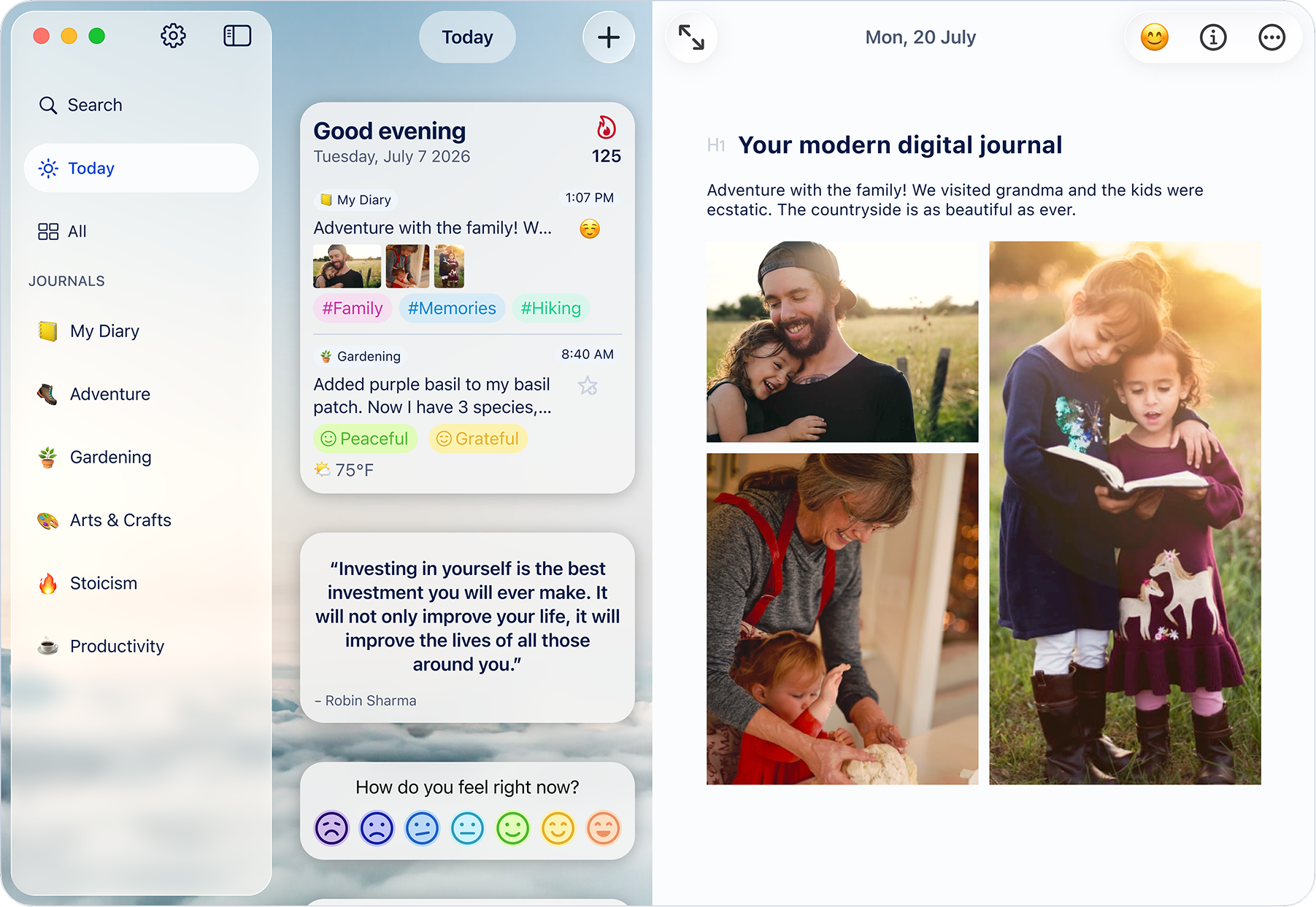
Diarly on Mac with a journal sidebar, Today view, mood check-in and a family entry with photos
Your entries, photos and daily check-in, with room to see them together.

Markdown editor and focus mode Nothing on screen but your words.

Press ⌃⌘F and Diarly goes full screen with only your page in view. Typewriter mode keeps the line you're writing in the middle of the window, so a long entry never sinks to the bottom edge.

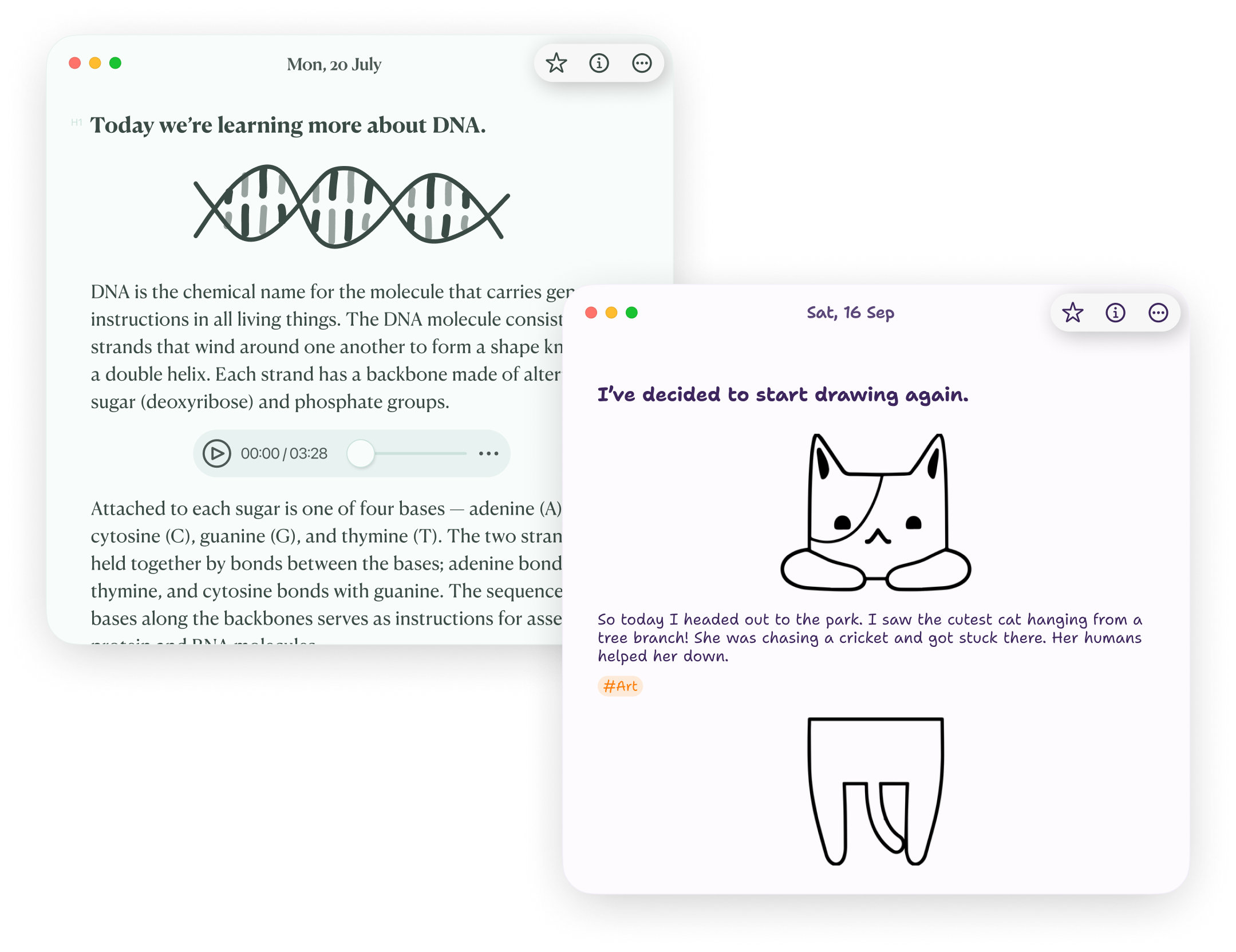
Format with Markdown as you type, or use the formatting controls. Type / to drop in the time, the weather or a photo, and [[ to link one entry to another. Pick a theme, a font and a line width, and the page looks the way you like.
Explore the Mac editor

A few shortcuts worth knowing

Focus mode
⌃⌘F
Bold a thought
⌘B
Add a checklist
⌘T
Search your journal
⇧⌘F
All Mac keyboard shortcuts →
Two Diarly entries open on Mac in different themes and fonts, one with an audio note and one with a sketch
★★★★★
“Other journalling apps are much more about an Instagram style diary, whereas with Diarly I can sit down and just write. It has a gorgeous interface and typewriter scrolling so that as I keep typing my text stays in the centre of my laptop’s screen instead of going to the bottom.”
dagaz · Dec 25, 2025
★★★★★
“I find Diarly the best journal app I can think of. It offers all features I can think of, minimalistic yet very nice design with quite some possibilities to personalise. Works on Mac and iPhone and looks great on both.”
Dabejek · Apr 22, 2026
★★★★★
“I love the clean simplicity of the app, the writing experience is beautiful. … I am using this on my iPad, iPhone and Mac and I am really loving it.”
Martinjabbott · Jun 14, 2026

Timeline and notes Dated days on the timeline. Everything else in notes.

Some writing belongs to a day. Some doesn't. Diarly keeps both in the same private place, so you don't need a second app for notes.

Timeline

One or more entries per day, in order. Your daily entries, photos and moods, with a calendar to jump to any date.

Notes

Undated pages for lists, drafts, plans, quotes and project logs. Pin the ones you open most, and search to find them alongside your entries.

How timeline and notes work together

With iPhone, iPad and Apple Watch Catch the moment on iPhone. Write it up on your Mac.

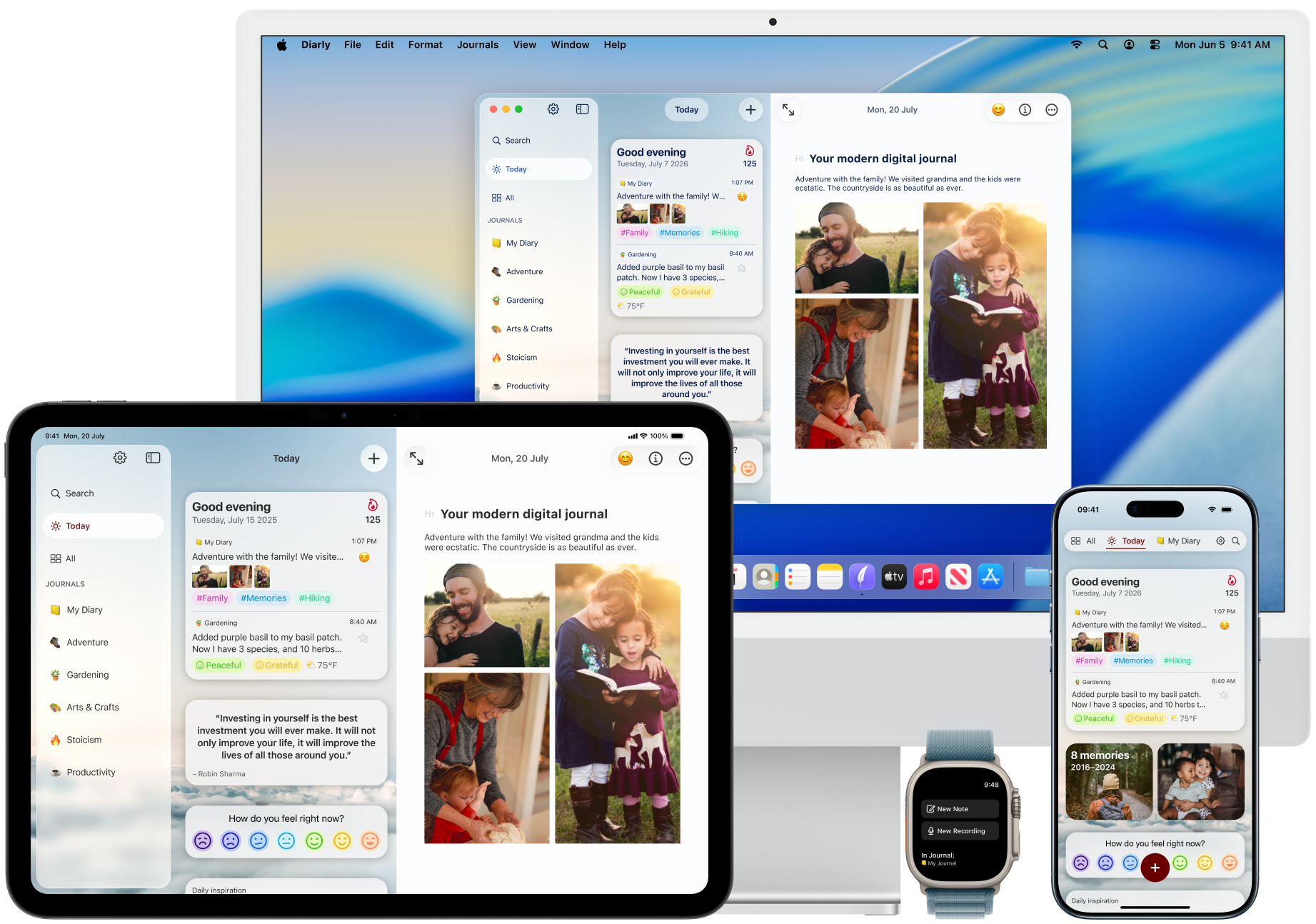
A photo at lunch, a mood check-in on the train, a voice note from your Apple Watch. With Premium, everything syncs through your own iCloud and is waiting when you sit down.

Steps, sleep and workouts from Apple Health are added on your iPhone and appear in the same entry on your Mac. One Premium subscription covers all your Apple devices.

No iPhone? Diarly works fully on a Mac by itself.

Diarly for iPhone · Diarly for iPad

The same Diarly journal on Mac, iPad, iPhone and Apple Watch

Calendar, gallery, map and search See the whole year at once.

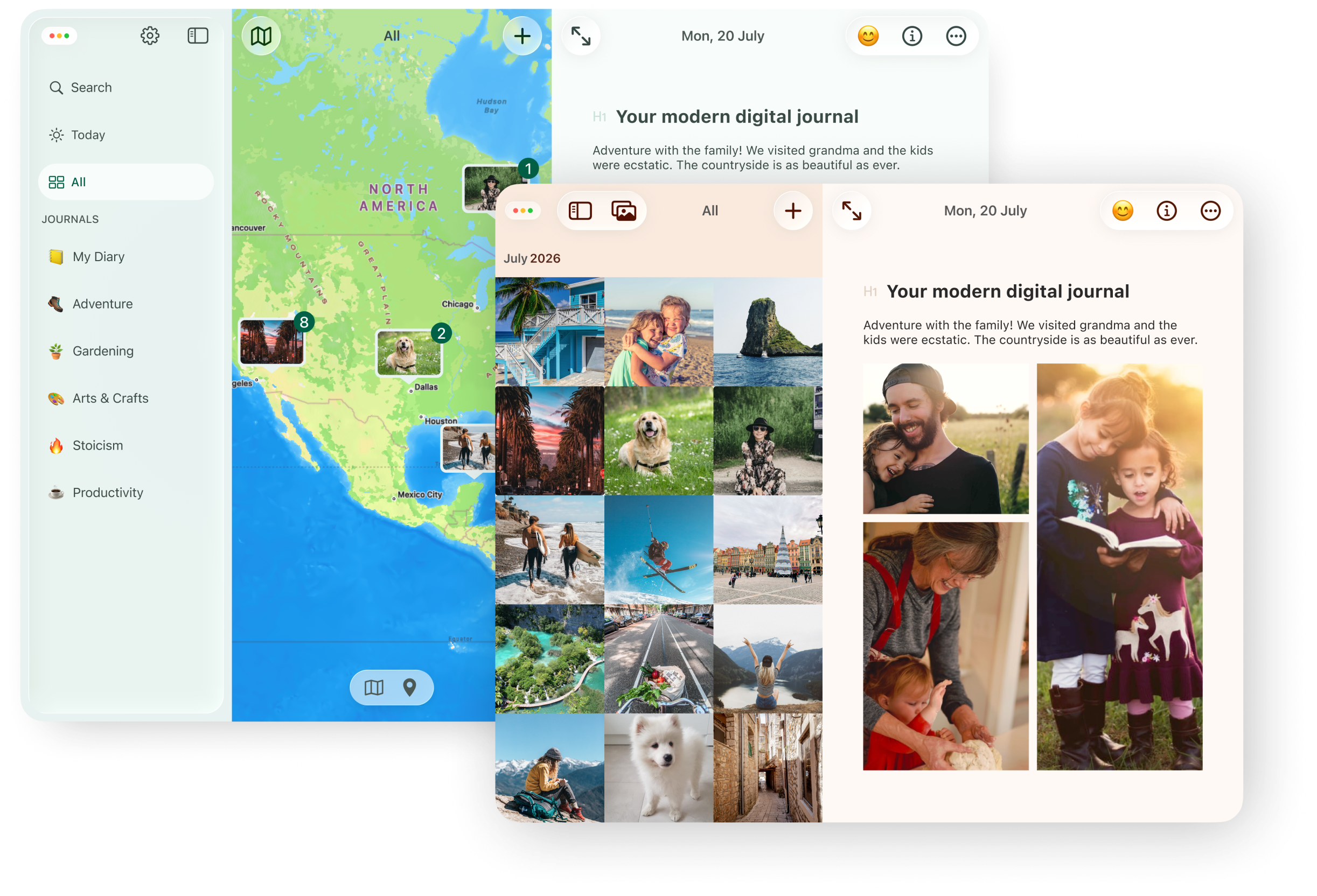
A Mac screen has room for your past. Flip through months on the calendar, see a summer of photos in the gallery, or find a trip on the map.

Press ⇧⌘F to search every journal for a name, a place or a tag. On This Day brings back what you wrote on this date in earlier years.

See how journal search works

Gallery and map views in Diarly on Mac showing journal photos and the places entries were written

Privacy, export and import Kept on your Mac. Yours to take anywhere.

Your writing should outlive any app, including this one.

Private by default

Your journal is stored on your Mac and works offline. There is no Diarly account, and we do not store your writing on our servers. Lock the app with a password or Touch ID on supported Macs, included for free. Premium adds encryption for your entry text.

Read about app lock and encryption

Plain Markdown, any time

Use File → Export to save your journal as Markdown files, included for free and readable in any text editor. Premium adds EPUB for Apple Books, plus PDF and Rich Text when you want to print or share a chapter.

Explore export options

Bring your earlier entries

Choose File → Import to bring in supported exports from Day One, Apple Journal, MacJournal and more, or import text and Markdown files.

Find the importer for your journal

Before you start on Mac

Is Diarly free on Mac?

Yes. Keep one journal with unlimited entries and photos, Markdown formatting, templates, mood tracking, and a password lock. Premium adds iCloud sync, entry-text encryption, multiple journals, and more. Compare Free and Premium.

Does it sync with my iPhone and iPad?

Yes, with Premium. Your journal syncs through your own iCloud account, so what you add on your iPhone or iPad appears on your Mac. How sync works.

Do I pay separately for Mac and iPhone?

No. One Premium subscription covers your Mac, iPhone, iPad and Apple Watch when they use the same Apple account.

Can I write in my journal offline?

Yes. Write entries and read the journal stored on your Mac without an internet connection. Optional iCloud sync needs a connection to transfer changes between devices.

Can I use Diarly on Mac without an iPhone?

Yes. You can keep your entire diary on your Mac. Sync with iCloud to keep it updated across your devices.

Can I move my existing diary to Diarly?

Yes. On Mac, choose File → Import and select the importer for your files. Supported sources include Day One, Apple Journal, MacJournal, Evernote, and Markdown. You can also export your writing to Markdown on the free plan. Find the full import guide here.

Give today a few lines.

Open Diarly on your Mac, and write one thing you'd like to remember.

Download Diarly on the App StoreFree forever · No ads · No account needed