Apple Journal alternative: meet Diarly
Apple’s Journal app, released iOS 17.2, has brought the practice of keeping a diary to countless people. And while it’s a great introductory tool if you’re dipping your toes into this timeless practice, does it really offer everything you need to keep a diary, and get all of its benefits?
Try Diarly today. It’s really easy to import your existing journals from 15+ journaling platforms, including Apple Journal.
Apple Journal vs Diarly
In this page, we compare Apple’s Journal app with Diarly. We will go over privacy, personalization and customization, data portability, advanced features, and pricing structure so you can decide which journaling app fits long-term writing.
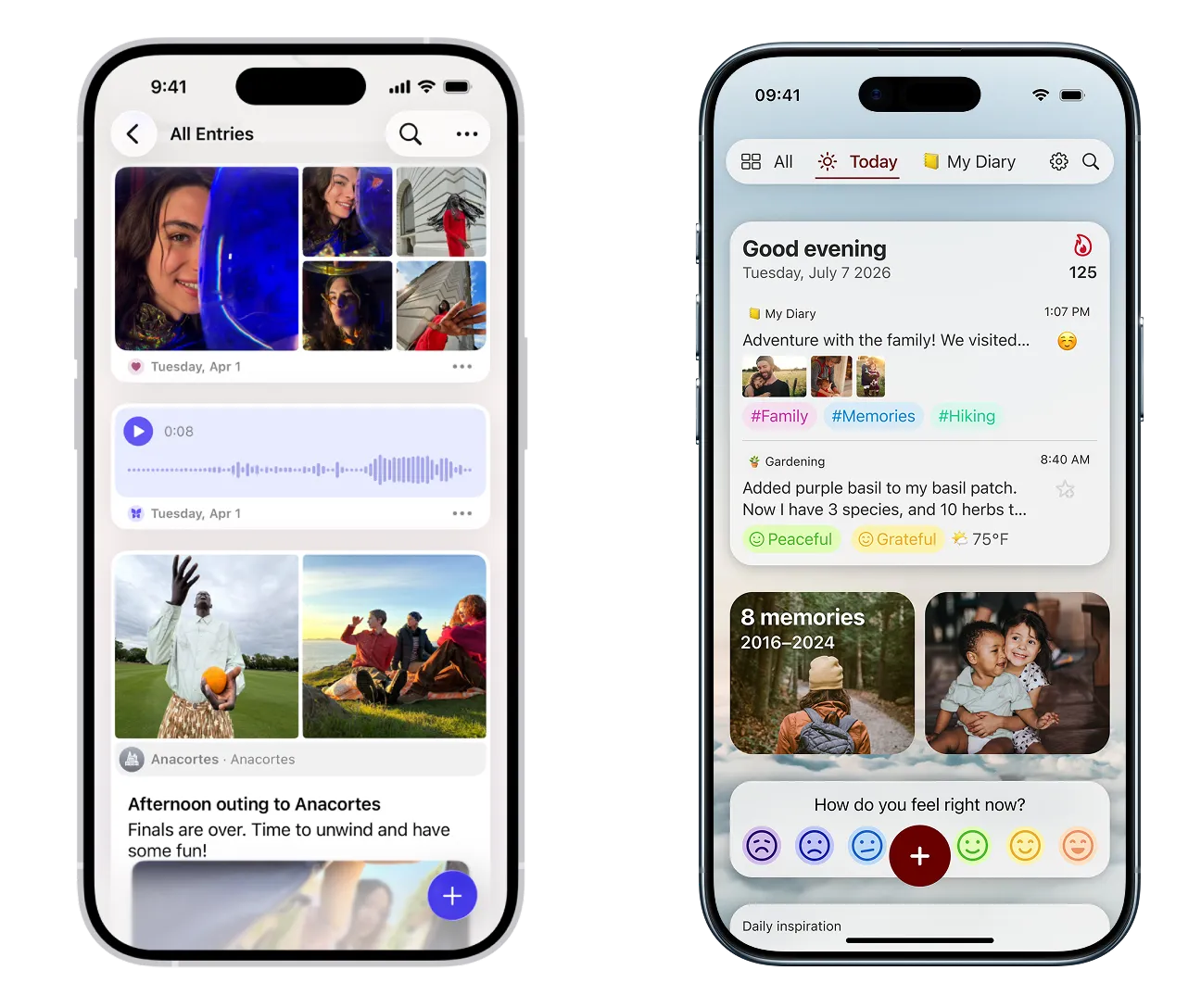
Feature comparison
Apple Journal | Diarly | |
|---|---|---|
Customizable ThemesCustomize your journaling experience with dozens of customizable themes. | ||
Markdown SupportWrite your journal entries using Markdown for easy formatting and styling. | ||
Custom BackgroundsMake your journal truly yours with custom backgrounds. | ||
Import journalsImport unlimited entries easily from 15+ other journaling apps, including Apple Journal, to make Diarly your new home. | ||
Writing GoalsSet daily writing goals to keep you motivated and on track. | ||
Powerful Search & OrganizationOrganize and find your journal entries easily with tags, smart filters, and advanced search. | ||
Writing-Focused UXEnjoy a distraction-free writing experience with a purposefully designed editor and keyboard shortcuts. | ||
Journal TemplatesCreate your own templates to streamline your journaling process. | ||
Easy navigation through timeUse different views to easily look back through years of journaling. | ||
Time SeparatorsEasily see the time an entry was created, insert time separators and timestamps, fully modifiable. | ||
Advanced insightsGet insights into your writing habits with advanced insights. | ||
Insert files, recordings, and more.Insert PDFs, files, photos, audio recordings, and other files directly into your journal entries. | ||
Export journalsExport your journals to PDF for sharing or printing, or Markdown for backup. | HTML only | PDF, Markdown |
Today photo galleryAdd today's photos from your gallery. | ||
Journaling SuggestionsUse Apple's private Journaling Suggestions. | ||
Multiple journalsOrganize your thoughts and entries into multiple journals. | ||
Apple Health syncLog mindful minutes, state of mind and moods into Health from your journal, and read fitness and sleep data from Health in your entries, with two-way Apple Health integration. |
Apple Journal covers the basics, but Diarly is built for people who actually enjoy shaping their journaling practice over time. From full Markdown support to deep customization and easy import/export, Diarly treats your journal as fully yours, and is built as a tool designed for long-term use.
Availability
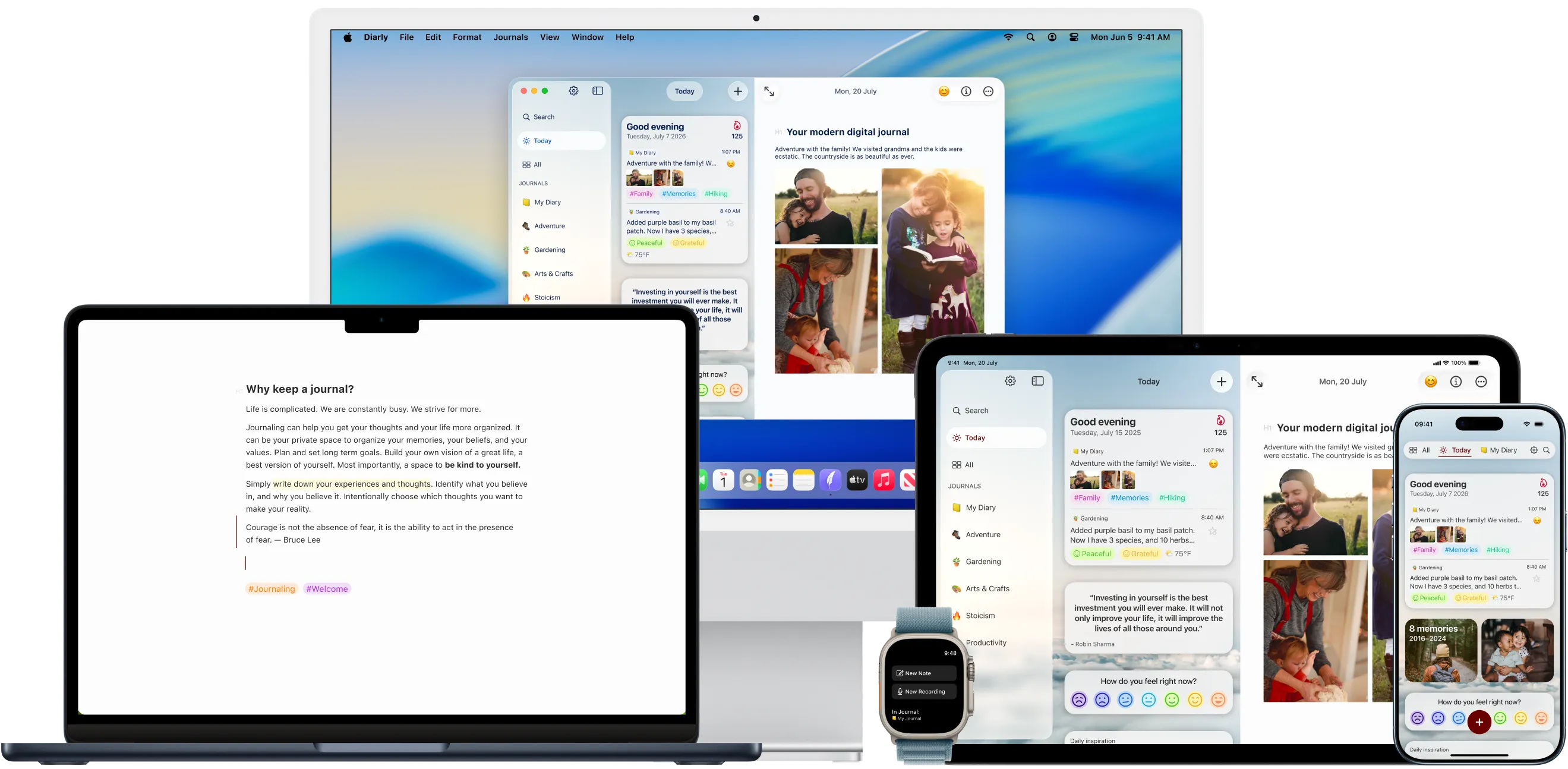
Apple’s Journal app is not yet available on Apple Watch. Diarly is also available on Mac, iPhone, iPad, and Apple Watch. Journal anywhere and anytime on Apple Watch, using dictation or voice recordings.
Support and Community
Apple Journal | Diarly | |
|---|---|---|
Personal and fast customer supportWe listen to all the feedback and suggestions, and respond quickly to all support requests. | ||
CommunityJoin the Diarly community on Reddit. | ||
Regular updatesCheck out what's coming next on our Roadmap. |
Diarly is built by a small, fully remote team, which means there’s no distance between the people using the app and the people building it. We receive and discuss your feedback right away, and often act on it directly. That closeness shows up in thoughtful updates, quick support, and features shaped by real-world journaling habits.
Elevate your journaling experience today with Diarly.

Journaling is a long game, and its value comes from showing up over years, and from trusting that the tool you’re using will grow with you. Diarly is designed with that kind of longevity in mind. We’re careful and respectful with your data, and we’re responsive and open to communication.
Diarly is built at a sustainable pace by people who actually use it themselves. If Apple Journal is a great place to start, Diarly is a place to settle in—and keep writing for the long run.